> ## Documentation Index
> Fetch the complete documentation index at: https://docs.subframe.com/llms.txt
> Use this file to discover all available pages before exploring further.
# Responsive design
> Design for mobile and desktop breakpoints.
Subframe has two breakpoints:
* **Default** — Desktop and tablet (768px and above)
* **Mobile** — 767px and below
## Switching breakpoints
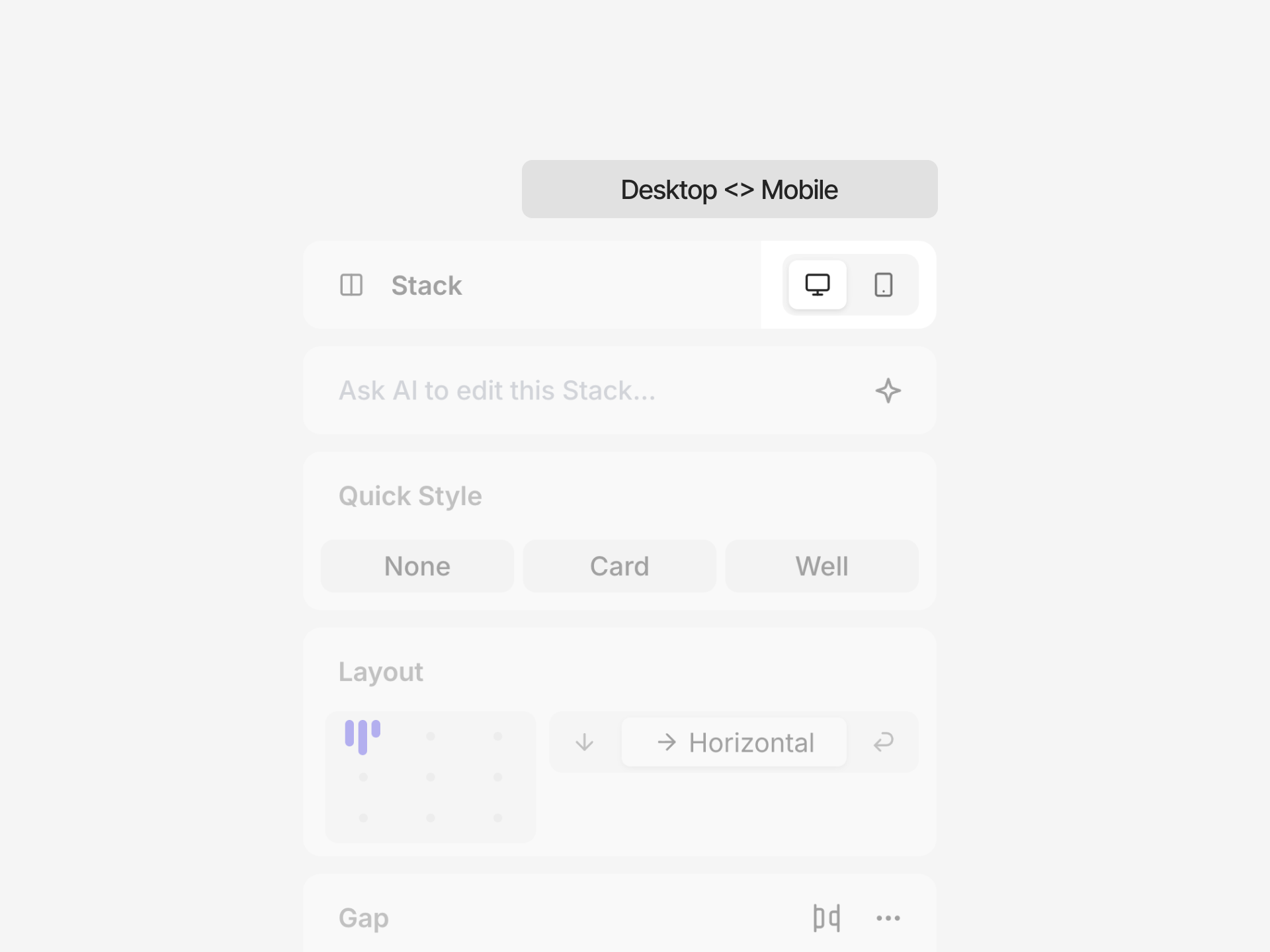 Click the device selector in the top toolbar to switch between default and mobile views.
## Creating mobile overrides
You can add mobile overrides to both pages and components.
1. Switch to mobile view
2. Select an element
3. Modify any property in the Inspector
4. An override indicator (pink dot) appears next to the property
Click the device selector in the top toolbar to switch between default and mobile views.
## Creating mobile overrides
You can add mobile overrides to both pages and components.
1. Switch to mobile view
2. Select an element
3. Modify any property in the Inspector
4. An override indicator (pink dot) appears next to the property
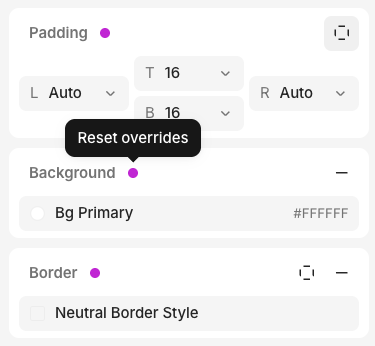 To remove a mobile override, click the pink dot to reset to the default value.
## Code export
When there is a mobile override, the exported code uses a `mobile:` prefix in Tailwind, which adds a media query:
```tsx theme={null}
To remove a mobile override, click the pink dot to reset to the default value.
## Code export
When there is a mobile override, the exported code uses a `mobile:` prefix in Tailwind, which adds a media query:
```tsx theme={null}
{/* Horizontal on desktop, vertical on mobile */}
```
## FAQ
If you don't see a pink dot, no mobile override is being set.
Mobile overrides only work for styles that translate to CSS, so some properties without a CSS equivalent cannot have
a mobile override.