
Documentation Index

Fetch the complete documentation index at: https://docs.subframe.com/llms.txt

Use this file to discover all available pages before exploring further.
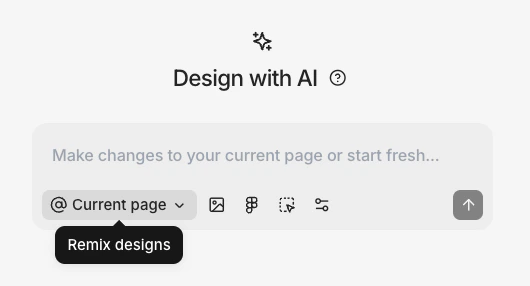
Referencing pages showing the referencing button and the list of pages
By default, Ask AI references your current page. You can add additional pages as references, which is useful for remixing existing designs:
  1. Click the references button in the chat bar (shown as @ Current page)
  2. Select pages to reference from the list
  3. Type your prompt and press Enter
Ask AI generates variations that reference the design from your selected pages.
Last modified on January 23, 2026